Family guide: Registering for an event
Seattle Little Rangers · October 2026
Download as PDF (1.0 MB)The website is https://www.seattlelittlerangers.org. To read it in Chinese or Spanish, see Website tips.
Finding an event
Press Events at the top of the website (on a phone, open the menu at the top right first). Events are under three tabs:
- Upcoming: events still to come;
- Past: events we have held, with photos and write-ups;
- Calendar: a month-by-month calendar.
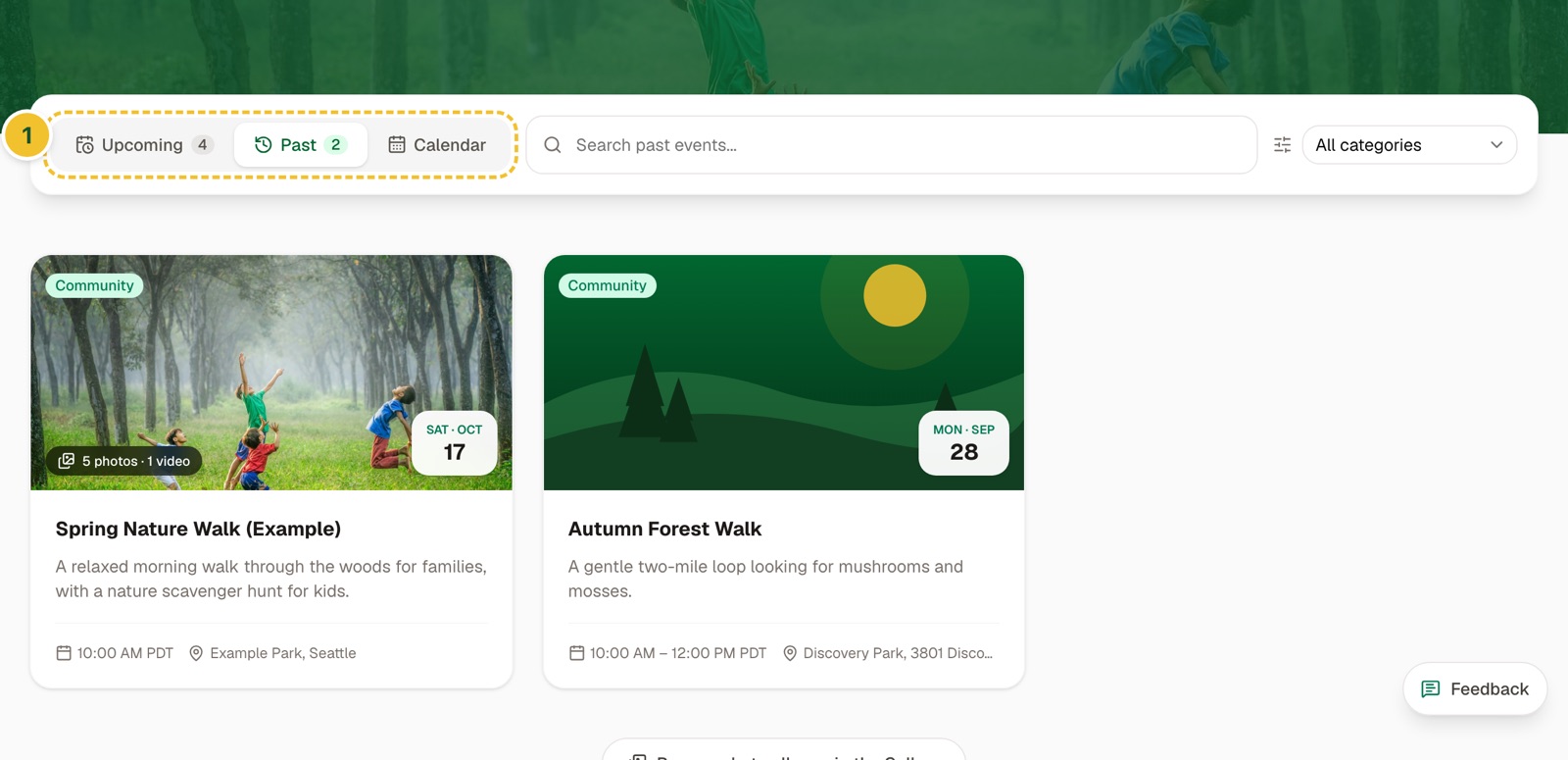
Each card shows the day and date, the place, and whether it is Free or has Tickets; a label in the corner says if it is for members, or members first. Press a card to open the event's page. The date, time and place are at the top, and Open in Maps gives you directions. Add to calendar puts it in your phone's or computer's calendar, and Share sends the link to someone - in WeChat, use WeChat's own ··· menu, or press Share to copy the link and paste it into a chat.
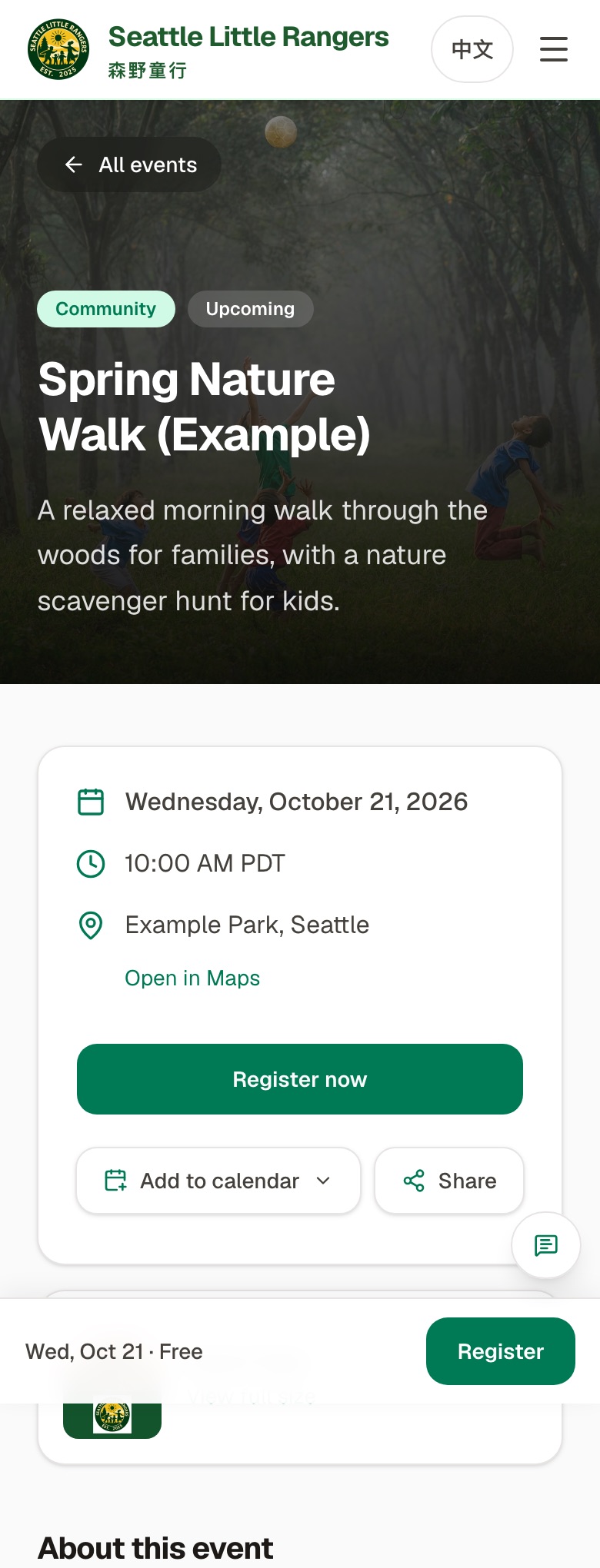
Filling in the form
Scroll down the event page, or press Register now, to reach the form:
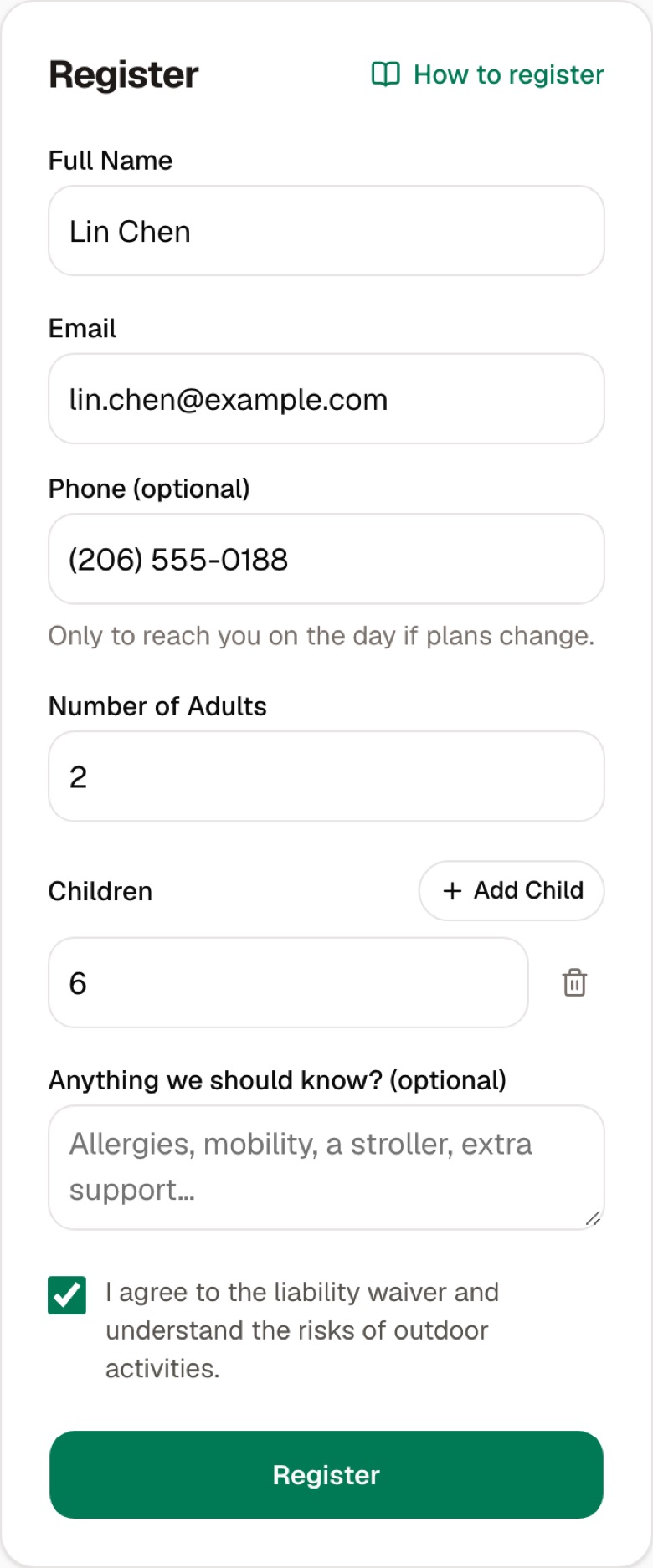
- Full Name: a parent's name.
- Email: where we contact you. It is also the address you sign in to the website with to see your registrations, and the one a membership goes under, so use the same one every time.
- Phone (optional): only so we can reach you on the day if plans change.
- Number of Adults: how many adults are coming.
- Children: press Add Child once for each child, and give their age.
- Anything we should know? (optional): allergies, mobility, a stroller, or extra support a child needs.
- Check I agree to the liability waiver…, then press Register.
If something is missing, the page says what, in red, under the field it is about.
One registration covers your whole family, however many of you are coming.
Are you registered?
When you see You're registered!, you are. The page repeats what you registered for - the event, its day and time, the place and who is coming - and we email you the same details, with links to add it to your calendar. Two days before the event we email you a reminder (the day before, if you registered later).
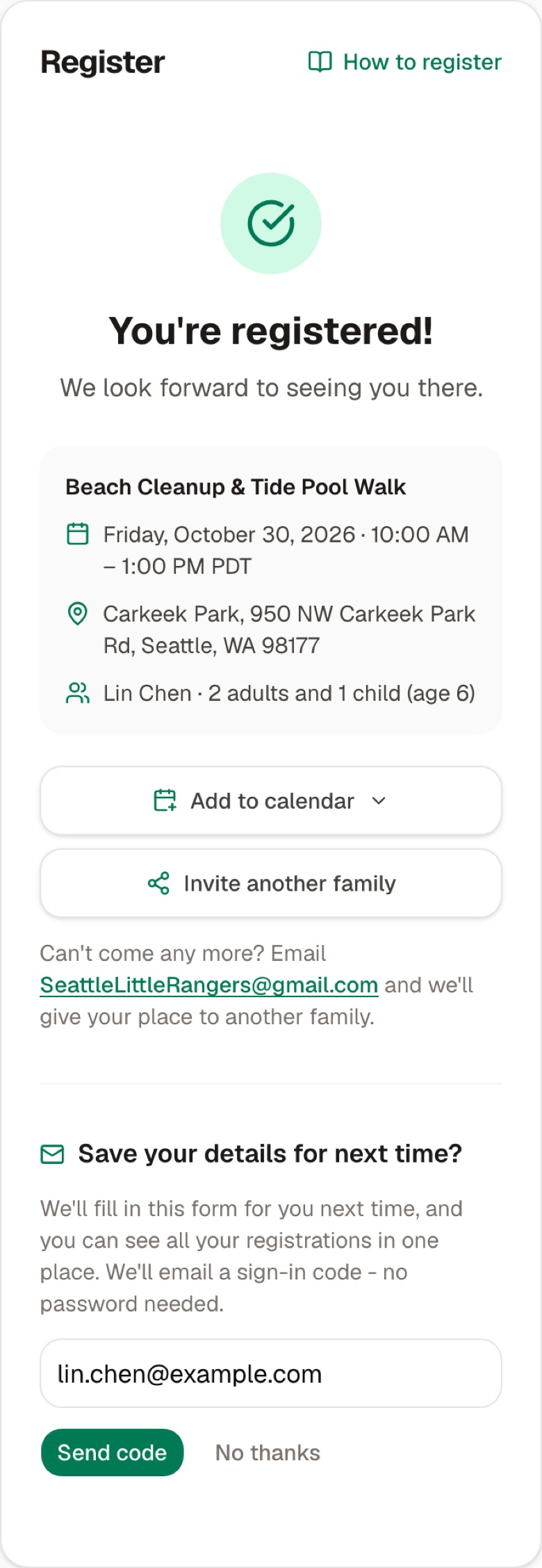
Add to calendar and Invite another family are there too.
Underneath it asks Save your details for next time? Enter your email, press Send code, type in the 8-digit code that arrives by email and press Verify. You then have an account on the website:
- next time you register, your name, email and phone are filled in for you;
- My registrations, at the top right, lists everything you have registered for.
If you'd rather not, press No thanks; you are registered either way. For more about the account, see Signing in and "My registrations".
When you can't register
| The page says | What it means |
|---|---|
| This event is full | Every spot is taken. |
| This event just filled up | The last spot was taken while you were filling in the form. |
| This event was cancelled | The event isn't happening. |
| This event has ended | The event is over; there may be photos to look at. |
| This event is for SLR members / Members register first | The event is for members only, or members register first. See Becoming an SLR member family. |
Paid events
A paid event's page has no form. It shows the price and a Get tickets button instead:
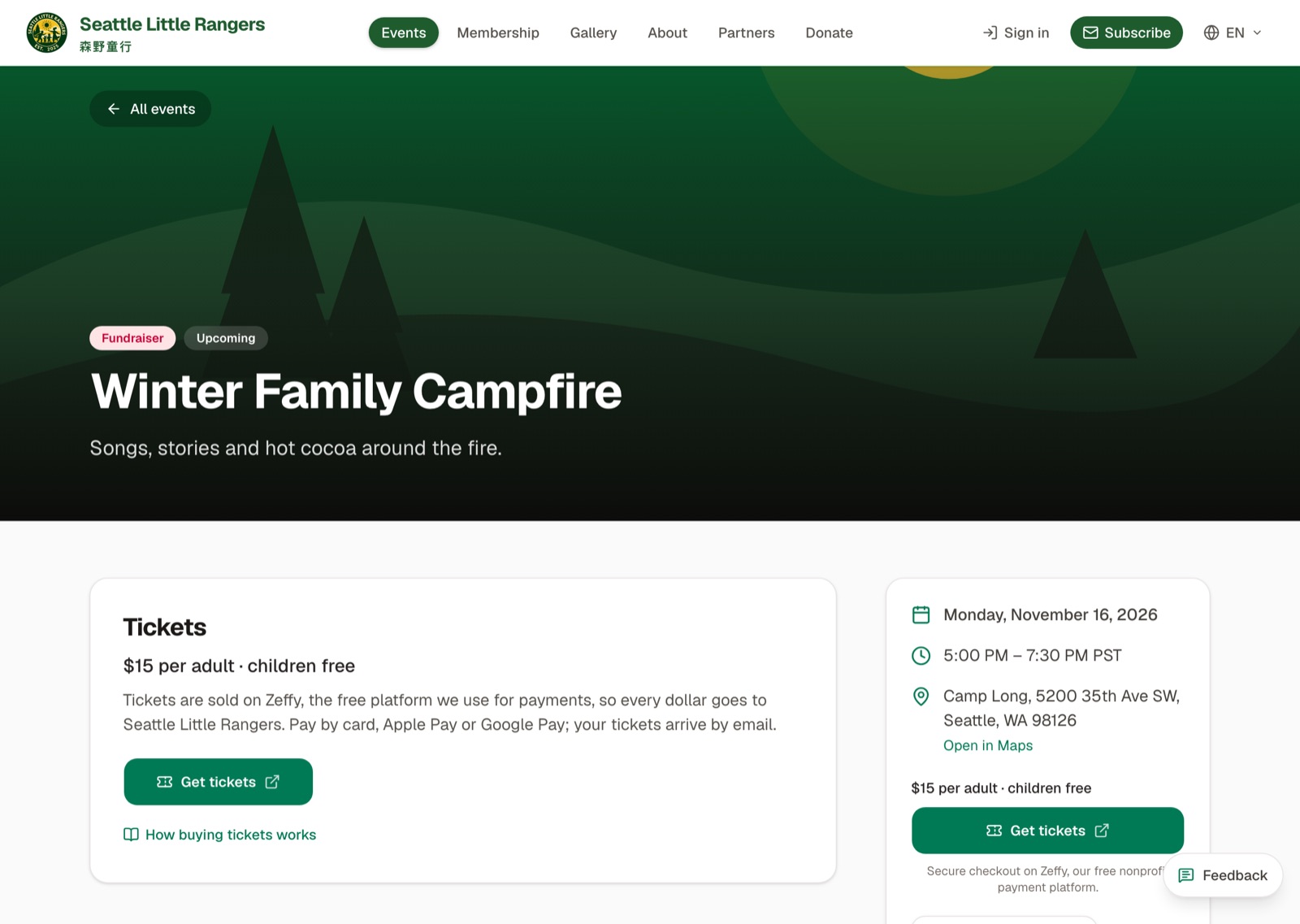
Get tickets opens the ticket page on Zeffy, the payment platform for nonprofits that we use. You can pay by card, Apple Pay or Google Pay, and your tickets arrive by email. Once you have bought tickets there is nothing more to do on our website.
For a Sports Carnival you can use member tickets instead; see Using member tickets for a Sports Carnival.
Common questions
I registered by mistake, or can't come after all?
If you're signed in, press Cancel my registration under the event on My registrations (see Signing in and "My registrations"). Or reply to the confirmation email, or email SeattleLittleRangers@gmail.com, and we will cancel it for you. Either way, your spot goes to another family.
Will I get a confirmation email?
Yes, within a minute, to the email you registered with: the event, its day, time and place, who is coming, and links to add it to your calendar. If it doesn't arrive, check your spam folder; My registrations also lists everything you are registered for. For tickets bought on Zeffy, Zeffy emails them to you. A reminder follows two days before the event.
Should each parent register separately?
No. Put all the adults and children who are coming in one registration.