Family guide: Website tips
Seattle Little Rangers · October 2026
Download as PDF (0.4 MB)Reading the website in Chinese or Spanish
The website is written in English, and Google can translate it:
-
Press the globe icon marked EN at the top right. On a phone, the 中文 button beside the menu switches to Chinese in one tap; for 繁體中文 or Español, open the menu (three lines) and press English.
-
Choose 简体中文, 繁體中文 or Español.
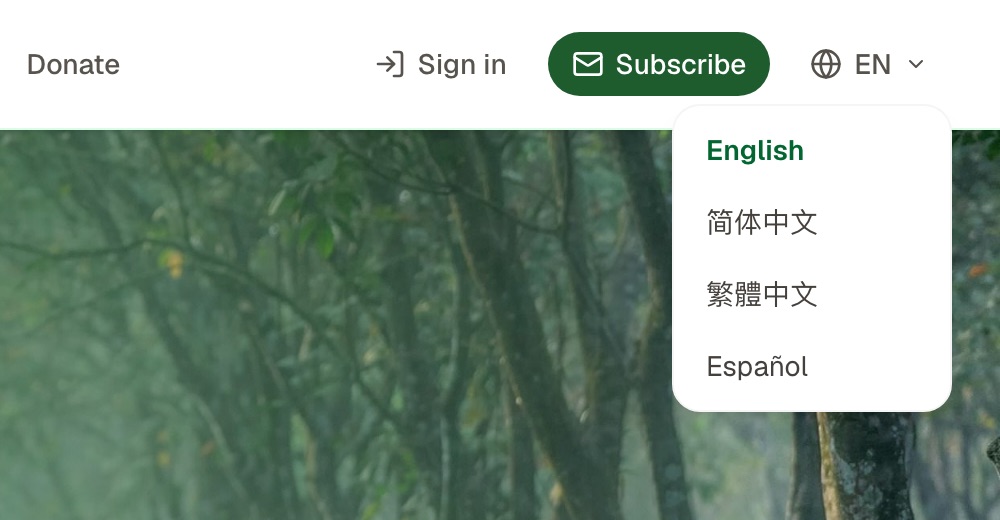
Choosing a language
A few seconds later the whole website is in that language, and it stays that way as you move between pages. To go back, choose English in the same place, or press Show the original English in the yellow strip under the menu; on a phone, EN beside the menu does the same.
Google does the translating, so now and then it is a little off, and button names may not match the ones in these guides, which give them in English. Occasionally Google's translation isn't available; the website then says so and stays in English. Try again a little later.
These guides are written in English and in Chinese. Every guide has a link at the top to the other language.
Telling us about a problem or an idea: the Feedback button
Every page has a Feedback button at the bottom right (on a phone, just a speech-bubble icon). If something on the website is wrong or unclear, or you have a suggestion, use it to tell us:
-
Press Feedback. The website takes a picture of what you are looking at, then opens the feedback window.
-
Write what went wrong, or your suggestion, in English or Chinese.
-
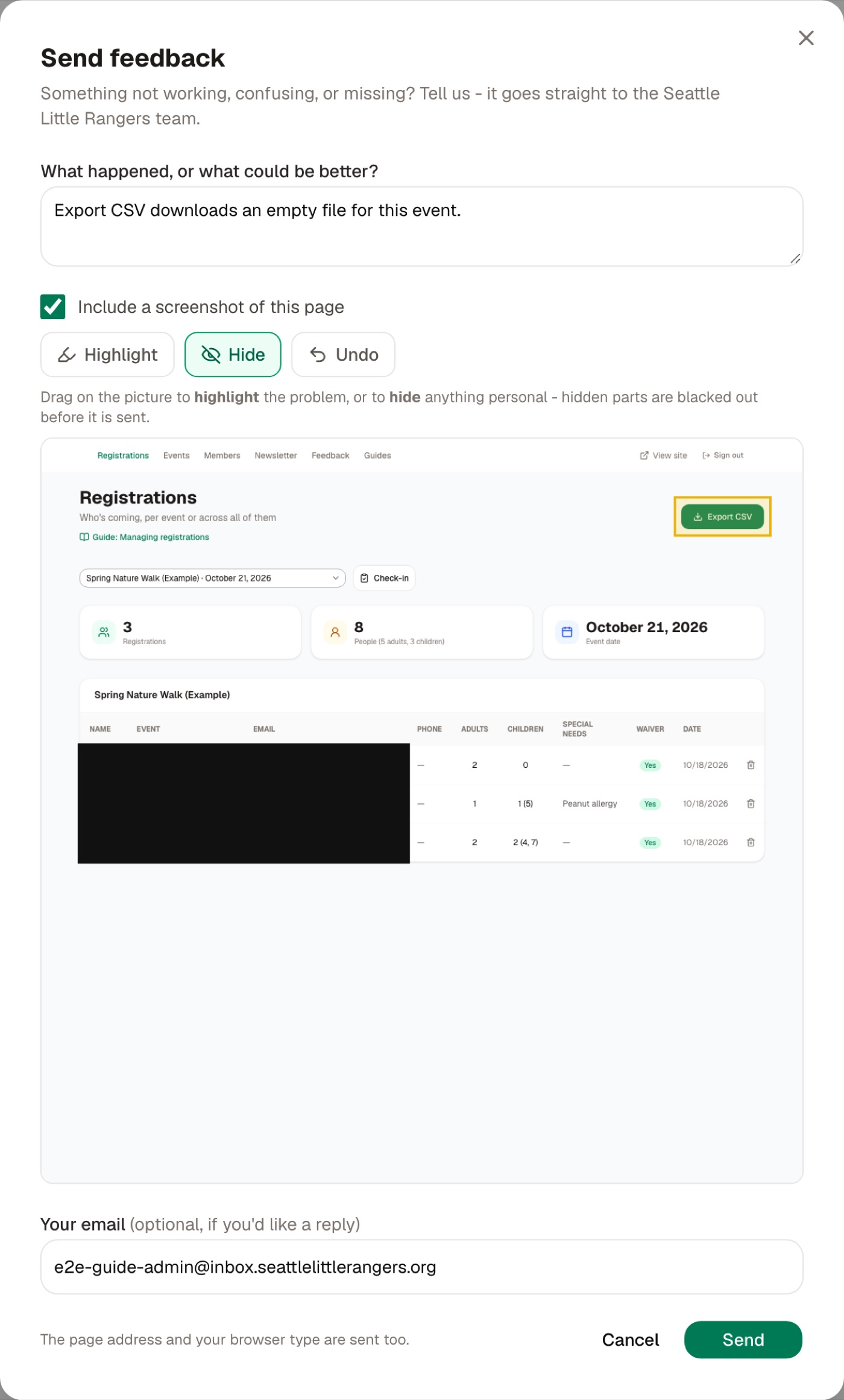
Drag on the screenshot with a finger (the mouse, on a computer) to draw a box:
- Highlight: a yellow box, to show where the problem is;
- Hide: a black box, to cover anything you'd rather others didn't see, such as a name or a phone number. It is blacked out before it is sent, so we can't see it either;
- Undo: takes away the last box.
To send no screenshot, uncheck "Include a screenshot of this page".
-
Leave your email address if you'd like a reply, and press Send.
Other things
- On a phone: the three lines at the top right open the menu, which has Events, Membership, Help, Sign in, Subscribe and the language.
- These guides are all listed on the Help page, linked at the bottom of every page.
- Contact us: email SeattleLittleRangers@gmail.com. Organizations and companies who would like to run something with us can look at the Partners page in the top menu.